As I mentioned in the previous post, my favorite feature of the Kindle
With the Kindle
What makes this remarkable for me is that it has actual made highlighting accessible–even more than with paper books. Have you ever highlighted text, and perhaps written some thoughts in the margin, only to not be able to find it later? Or at least not find it without considerable searching? This set of features actually makes the marking, and retrieval, of text easy, and quick–and with the myclippings.txt file, quoting and citing texts are made simpler.
I thought I would write a little bit about how that works, and share a few screen captures to show just how convenient it can be.
This first graphic is a snapshot (Did I mention you can do screen captures?) of a page from “The Google Story
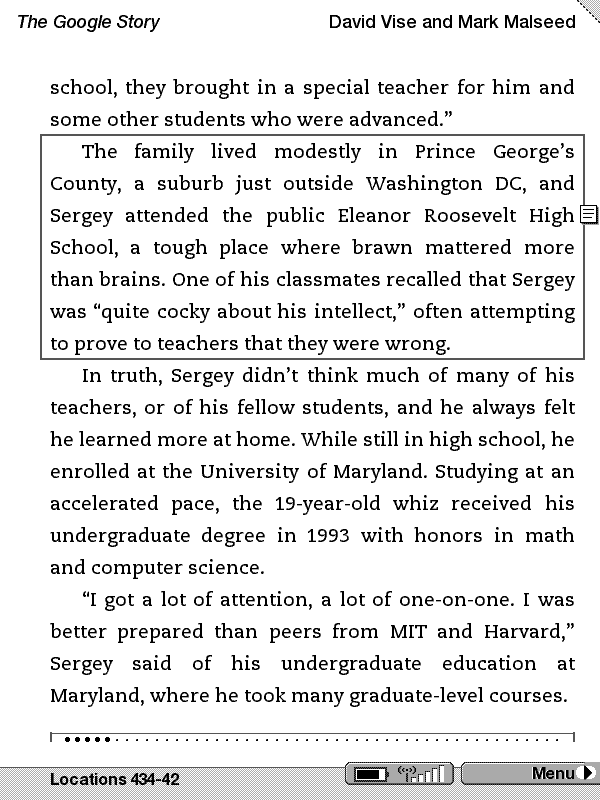
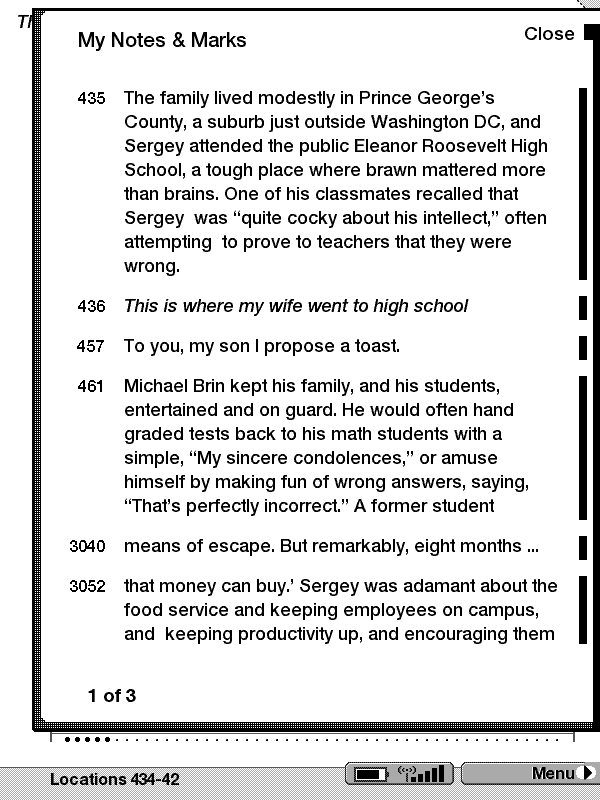
Of course, you want to be able to read the notes, and find them quickly. No problem, just go check your highlighted text, and you can find a series of pages of just your highlighted text. And, when you have attached notes, those notes will also be shown. Graphic two is another screen capture showing the same quote and note, as part of the collection of notes from that book.
But that’s not all! All highlighted text and notes are saved to a file, clippings.txt! As an academic, I like the idea that I not only can read, highlight, and write notes, but they are saved in a text file that I can easily use as a “holding file” for inserting quotes in my own articles and presentations.
The above highlights then are simply saved as:
==========
The Google Story (David Vise and Mark Malseed)
– Highlight Loc. 435-38 | Added on Thursday, September 11, 2008, 03:16 PMThe family lived modestly in Prince George’s County, a suburb just outside Washington DC, and Sergey attended the public Eleanor Roosevelt High School, a tough place where brawn mattered more than brains. One of his classmates recalled that Sergey was “quite cocky about his intellect,” often attempting to prove to teachers that they were wrong.
==========
The Google Story (David Vise and Mark Malseed)
– Note Loc. 436 | Added on Thursday, September 11, 2008, 03:17 PMThis is where my wife went to high school
The interface for selecting and highlighting text is quite simple (perhaps even, dare I say it, Intuitive) and appears to be designed with use in mind. Allow the reader to continue to mark text, comment on the text, and then add the ability to actual access our thoughts.
As they say in the Guiness commercial — “Brilliant!”








One thought on “Kindle Highlighting and Notes–More Useful than Paper!”
Comments are closed.